ABS Skills Settings
If you don't know how create ABS skill - read this first
// X - Number value
// Z - Only 1 or 0 value (True = 1, False = 0)
// S - Text value
// A - Script action| Parameter | Description | Values | Default |
|---|---|---|---|
radius:X |
skill effect zone radius in map cells. Minimum value is 1. | map cells count | 1 |
range:X |
max distance for skill, 0 - effect on self, 1 - effect on facing target (for melee) | map cells count | 1 |
direction:X |
0 - facing direction, 1 - point position (mouse click position), 2 - point direction (mouse click direction) | can be three values: 0, 1, 2 | 0 |
speed:X |
effect apply speed (fly to target speed), 0 - skill will be applied instantly, more 0 - for skill will be created projectile on map (vector) | fly speed value, more - faster | 0 |
| Parameter | Description | Values | Default |
|---|---|---|---|
friendlyEffect:Z |
if 1 - skill effect can be applied on allies (for create healing, buff or friendlyfire skills) | - | 0 |
opponentsEffect:Z |
if 1 - skill effect can be applied on enemies | - | 1 |
reloadTime:X or S |
skill reload (cooldown) time after using.  See examples below See examples below |
Can be value in seconds or formula | 0 |
Examples of reloadTime:
reloadTime: 4 \\ 4 seconds reload after skill using
reloadTime: this.agi - this.hp / 10 \\ reload time calculated by formula (result in seconds)| Parameter | Description | Values | Default |
|---|---|---|---|
z:X |
Z (height) parameter uses by Projectile skills. If 2 or less skill will hit characters with below character priority. If 3 - will hit characters with same as character priority. If 4 - will hit above character priority |
1,2,3,4 | 3 |
selectZone:Z |
if 1 - player can select skill damage zone on map 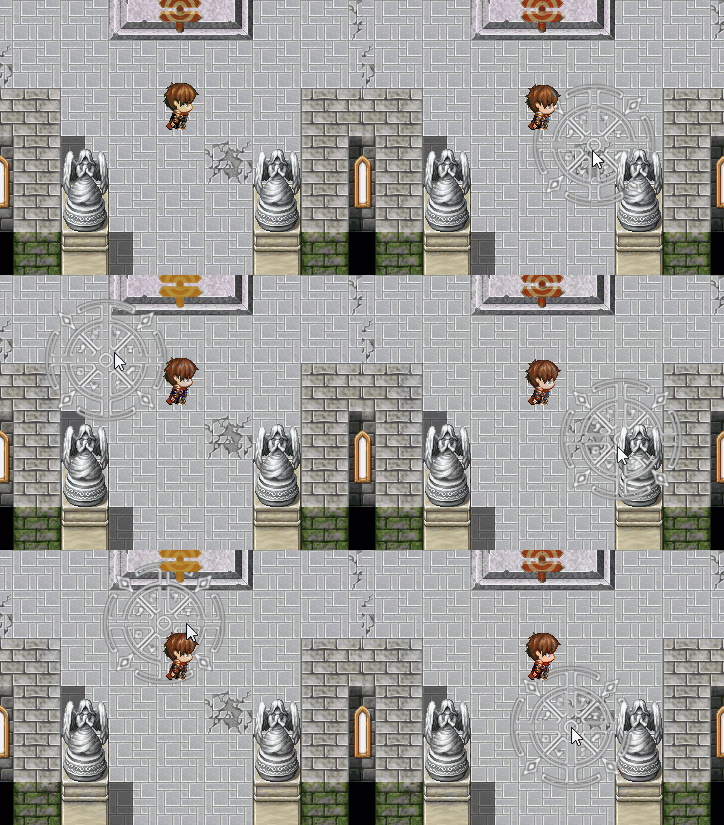 and and range should be > 0 |
- | 0 |
selectorColor:S |
Select zone color for this skill | HEX color | #bf9324 |
selectorImg:S |
Select zone image for this skill .png) . If empty, used default RadiusSelect.png from img\AABS folder . If empty, used default RadiusSelect.png from img\AABS folder
|
filename from Pictures folder | - |
selectorOpacity:X |
Select zone image opacity level | 0 - 255 | 220 |
skillImg:S |
Image for projectiles skills  . File naming rules see below. . File naming rules see below. |
file name from Pictures folder | - |
hitOffset:X |
hit box size for projectile skill image | in pixels | 28 |
hitAnimationId:X |
extra skill hit animation on map, if > 0 replace Animation from Database  . Use this if you want that skill have different animation on map and in default battle . Use this if you want that skill have different animation on map and in default battle |
Animation ID | 0 |
animationOnMap:Z |
if 1 - animation will playing always on map, if 0 - depends on skill target (map or character) | - | 0 |
noPassRegions:X,X,... |
Not pass map regions ID (separated by comma) for this skill |
1-255 | - |
noPassTerrains:X,X,... |
Not pass map terrain tags (separated by comma) for this skill |
0-7 | - |
Example: firebullet(3,5).png
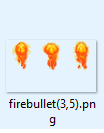
3 - frame count
5 - frame change speed
Usage:
<ABS>
...
skillImg:firebullet(3,5)
</ABS>| Parameter | Description | Values | Default |
|---|---|---|---|
animaXAction:S |
AnimaX plugin action for character when use skill, for more info read this | Action Name | - |
actionStartDelay:X |
From 0 to 60 (max). Delay after skill animation animaXAction starts and before skill executed |
in frames (60 = 1 second) | 0 |
Example actionStartDelay:0
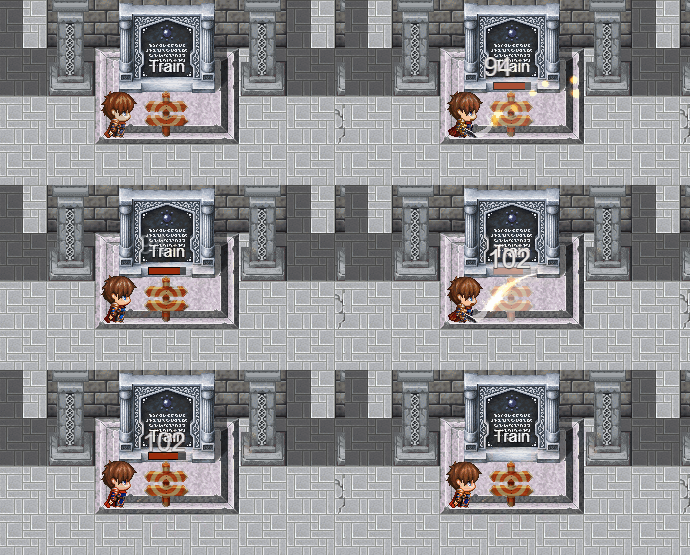
Example actionStartDelay:30
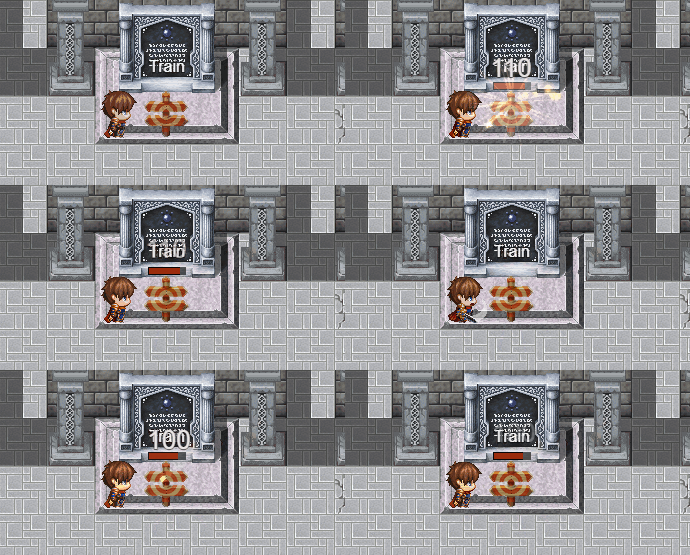
| Parameter | Description | Values | Default |
|---|---|---|---|
hideOutsideABS:Z |
if 1 - skill will be hided in default battle system, only can be used on map in ABS mode | - | 0 |