For beginners (if you just installed plugin)
🦖 PAGE IS UNDER DEVELOPMENT 🦖
💯 I hightly recommended download and play Demo project first before use plugin in your project. Not only play but also check how events, enemies and skills implemented. Demo project have many examples.
When you turn ON Alpha_ABSZ plugin in Plugin Manager and starts game you will see base ABSZ UI
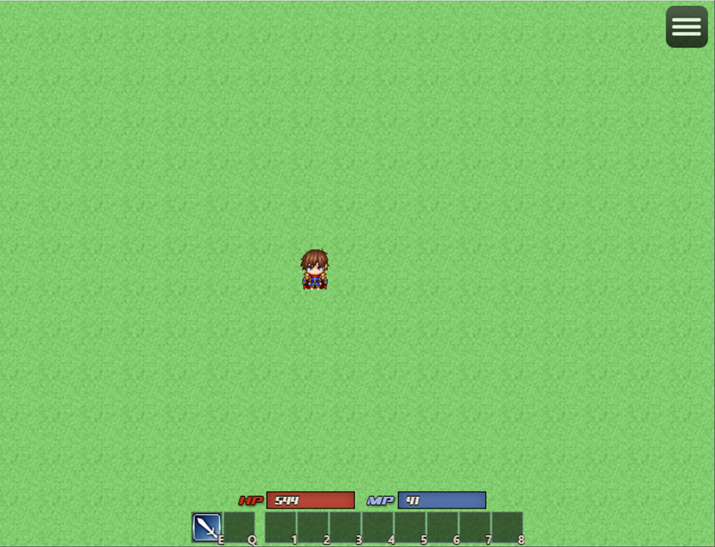
It's containt HP and MP gauges and skills panel. Your character will have only one skill - attack (with equipped weapon icon)
You can press E (by default) to permform Attack.
⭕ First what you need to check how ABSZ works -> add a Enemy to map.
Enemies in AABSZ - it's just events and enemy is active only when event active page have special comment.
How add your first enemy on map, read in this topic.
After you added enemy and fight with them (for test that all works fine) be good if you add some settings to enemy. All settings you can add via comments in Event page.
⭕ Ok, we can fight, let's add some skills to improve our battle capability.
Default skills not works in AABSZ. You should convert skill to ABS skill type, by addint special
keyword and settings in skill Note.
Example:

What all this means and what types of ABS skills are exists in Alpha ABSZ you can read here.
After you convert any skill to ABS one, don't forget setup your skill, all available settings here.
BASIC version of Alpha ABS Z plugin you CAN'T edit UI elements settings via Plugin Parameters.