ABS Skills Settings
If you don't know how create ABS skill - read this first
X - Number value
Z - Only 1 or 0 value (True = 1, False = 0)
S - Text value
A - Script action
E - Extended Value
| Parameter | Description | Values | Default |
|---|---|---|---|
radius:E |
skill effect zone radius in map cells. Minimum value is 1. After version 0.10 values can be decimal, like 0.25 | map cells count | 1 |
range:E |
max distance for skill, 0 - effect on self, 1 - effect on facing target (for melee) | map cells count | 1 |
direction:X |
0 - facing direction, 1 - point position (mouse click position), 2 - point direction (mouse click direction) | can be three values: 0, 1, 2 | 0 |
speed:E |
effect apply speed (fly to target speed), 0 - skill will be applied instantly, more 0 - for skill will be created projectile on map (vector) | fly speed value, more - faster | 0 |
| Parameter | Description | Values | Default |
|---|---|---|---|
friendlyEffect:Z |
if 1 - skill effect can be applied on allies (for create healing, buff or friendlyfire skills) | - | 0 |
opponentsEffect:Z |
if 1 - skill effect can be applied on enemies | - | 1 |
reloadTime:E or S |
skill reload (cooldown) time after using. 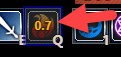 See examples below See examples below |
Can be value in seconds or formula | 0 |
targetLimit:E |
Max targets that skill can damage at same time. 0 - no limits. | Number E | 0 |
targetLimitType:E |
If targetLimit > 0, you can specify target selecting priority |
0 - random, 1 - nearest, 2 - far. E | 0 |
repeat:E |
Action repeat times 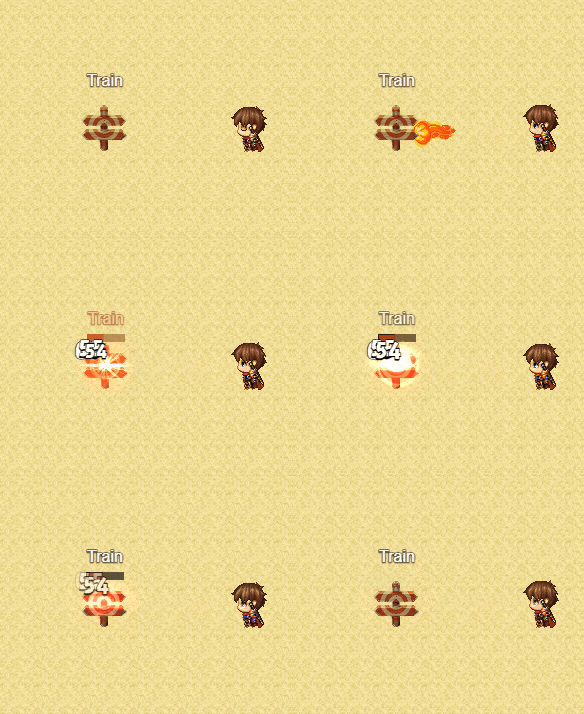
|
- | 1 |
repeatOnUse:E |
Action repeat at start (using) times 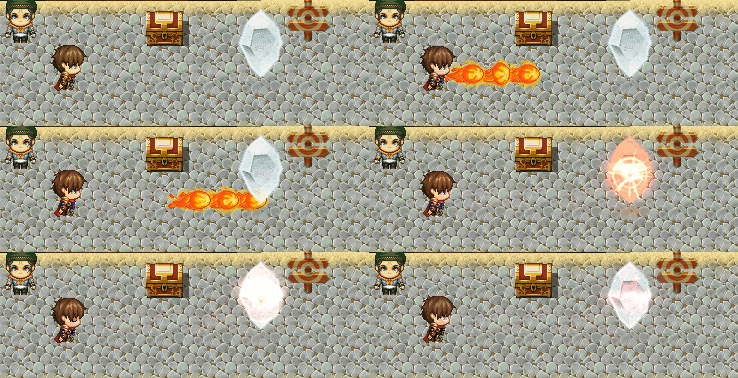
|
- | 1 |
repeatDelay:E |
delay between action repeats, if repeat > 1 |
Milliseconds | 120 |
usableIfState:E |
This skill available only if user affected by (have) State X | State ID | 0 |
usableIfTargetState:E |
This skill take effect only on target affected by (have) State X | State ID | 0 |
impulse:E |
Knockback character, where X - power. 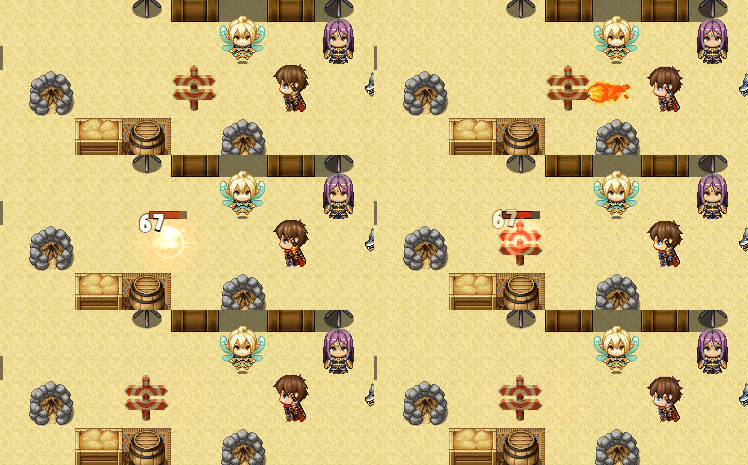
|
map cells count | 0 |
impulseRandom:Z |
If 1 - knockback in random direction | - | 0 |
impulseJump:Z |
If 1 - character will jump on knockback instead of moving 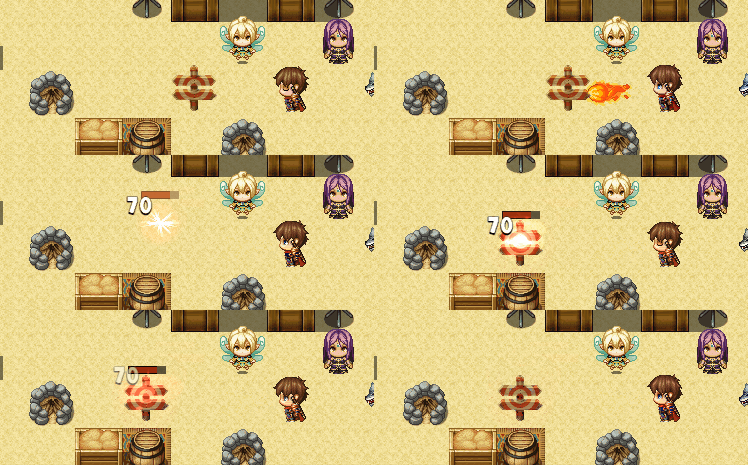
|
- | 0 |
impulseReversed:Z |
If 1 - reversed impulse, bring enemy closer to you. Uses with impulse:X > 0 | - | 0 |
pierce:E |
Pierce targets, only for projectile skills 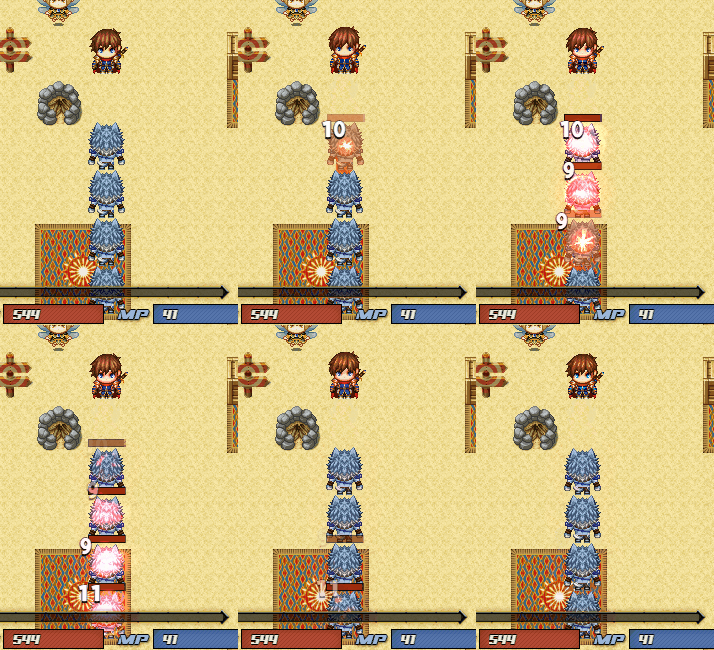
|
max targets count | 0 |
pierceContinues:Z |
If 1 - pierce same targets if projectile still in target 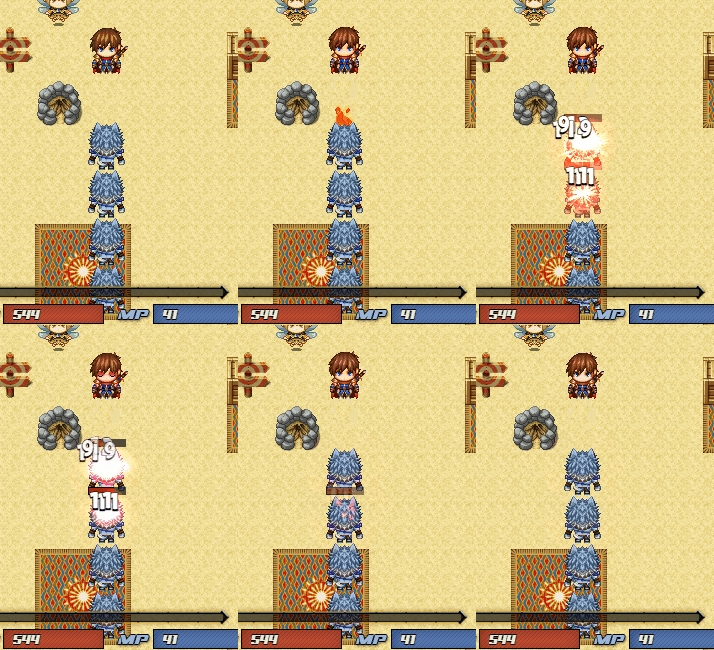
|
- | 0 |
explosive:E |
Extra damage in X radius area 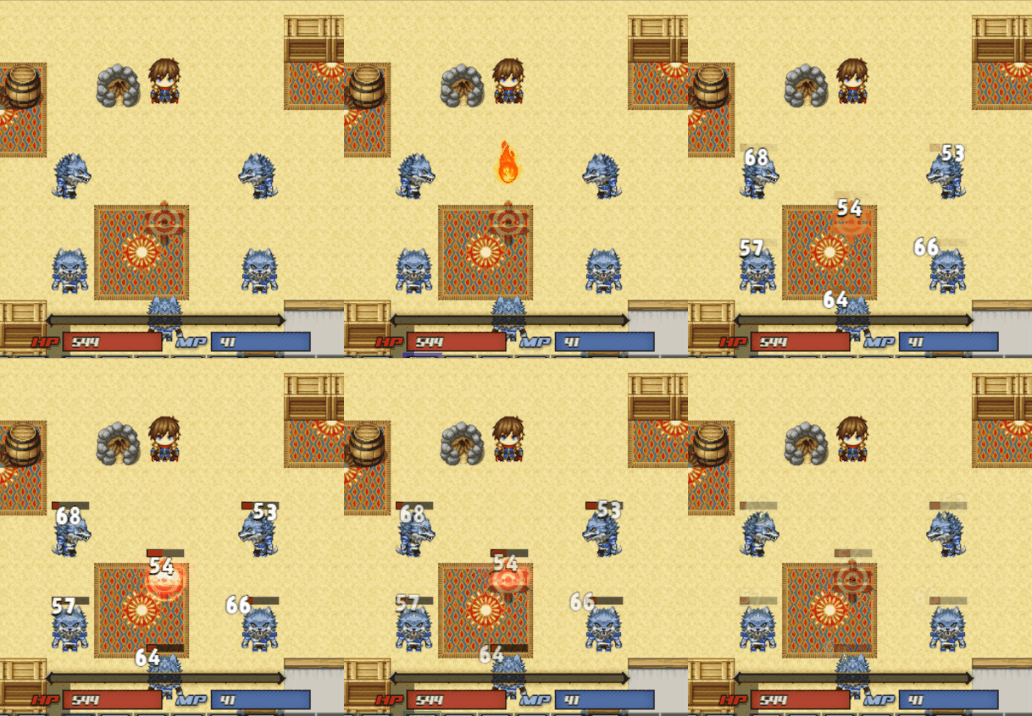
|
- | 0 |
explosiveDmgKoef:E |
Damage coefficient from Skill damage, 1 - 100%, 0.5 - 50% | From 0 to 1 | 1 |
explosiveDmgSkill:E |
Execute another ABS Skill on each target in affected area | Skill ID | 0 |
multiProjectile:E |
Starts multiple projectiles. 1 - In 4 directions, 2 - In diagonal, 3 - 8 directions. 4 - custom directions from customProjDirs
|
1,2,3,4 | 0 |
customProjDirs:X,X,... |
Custom directions for multiple projectile (See above).  . Example: . Example: 
|
1,2,3,4,6,7,8,9 | - |
fixProjWithCharDir:Z |
If 1 - fix multiple projectile direction with character direction 
|
- | 1 |
homingProjectile:Z |
Only for projectiles. If 1 - projectile will follow target 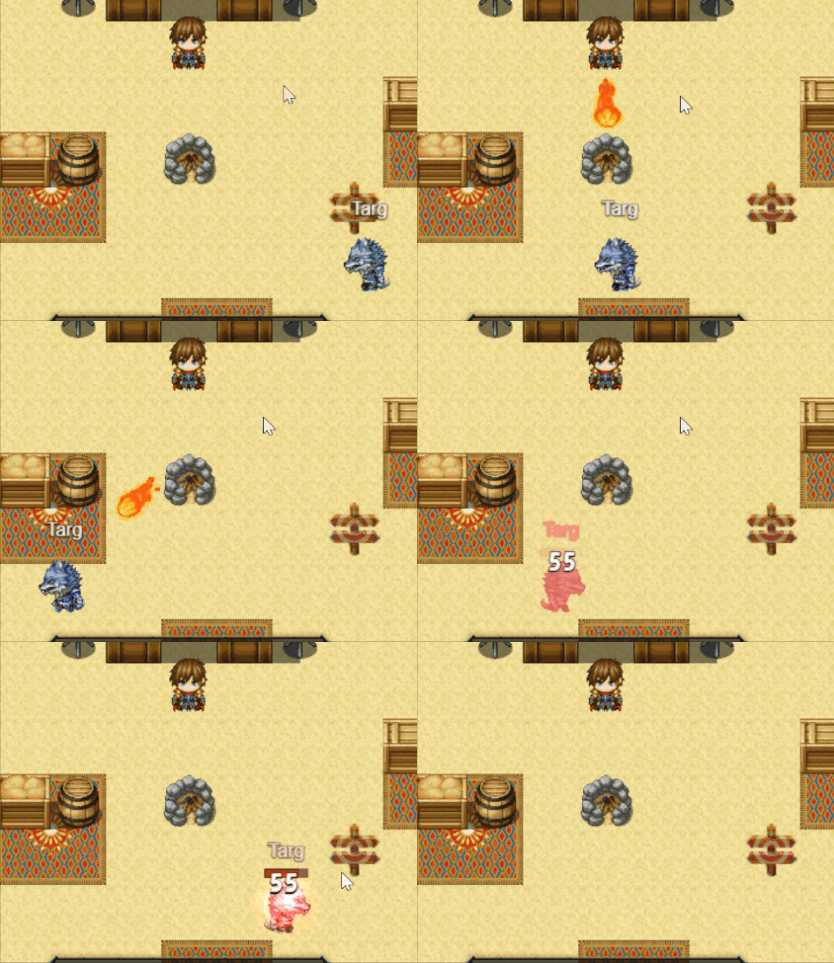
|
- | 0 |
swing:Z |
If 1 - damage multiple enemies by one hit. radius <= 0). 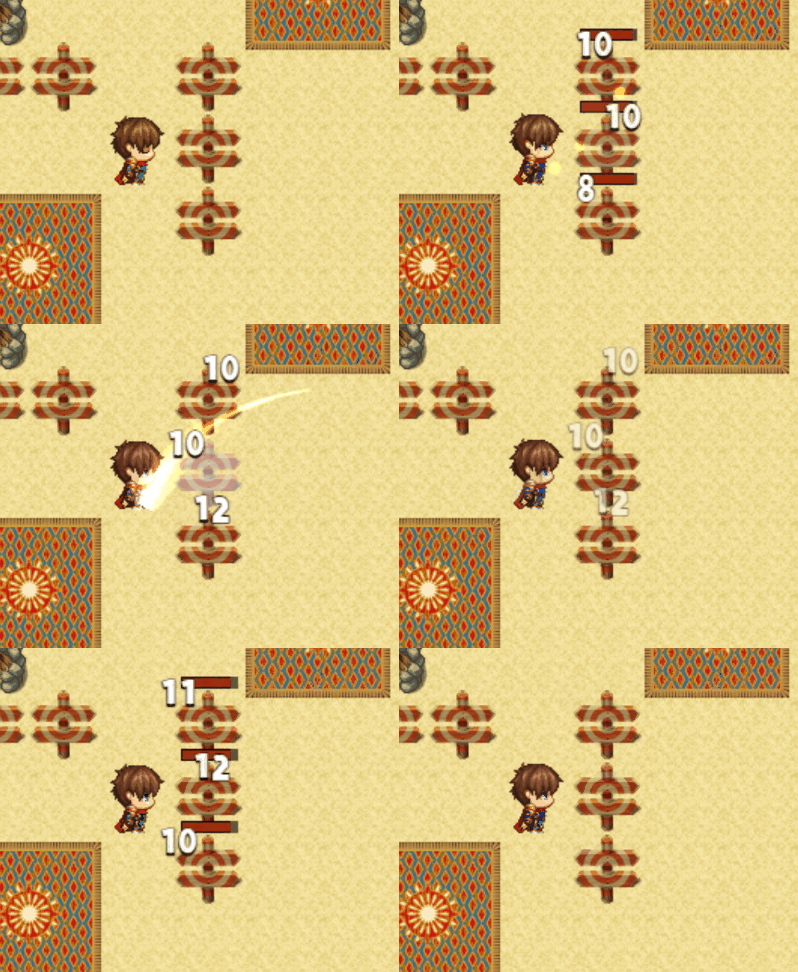
|
0 | |
swingKoef:E |
Swing damage coefficient from Skill damage, 1 - 100%, 0.5 - 50% | From 0 to 1 | 1 |
teleport:Z |
If 1 - skill will teleport user to target point 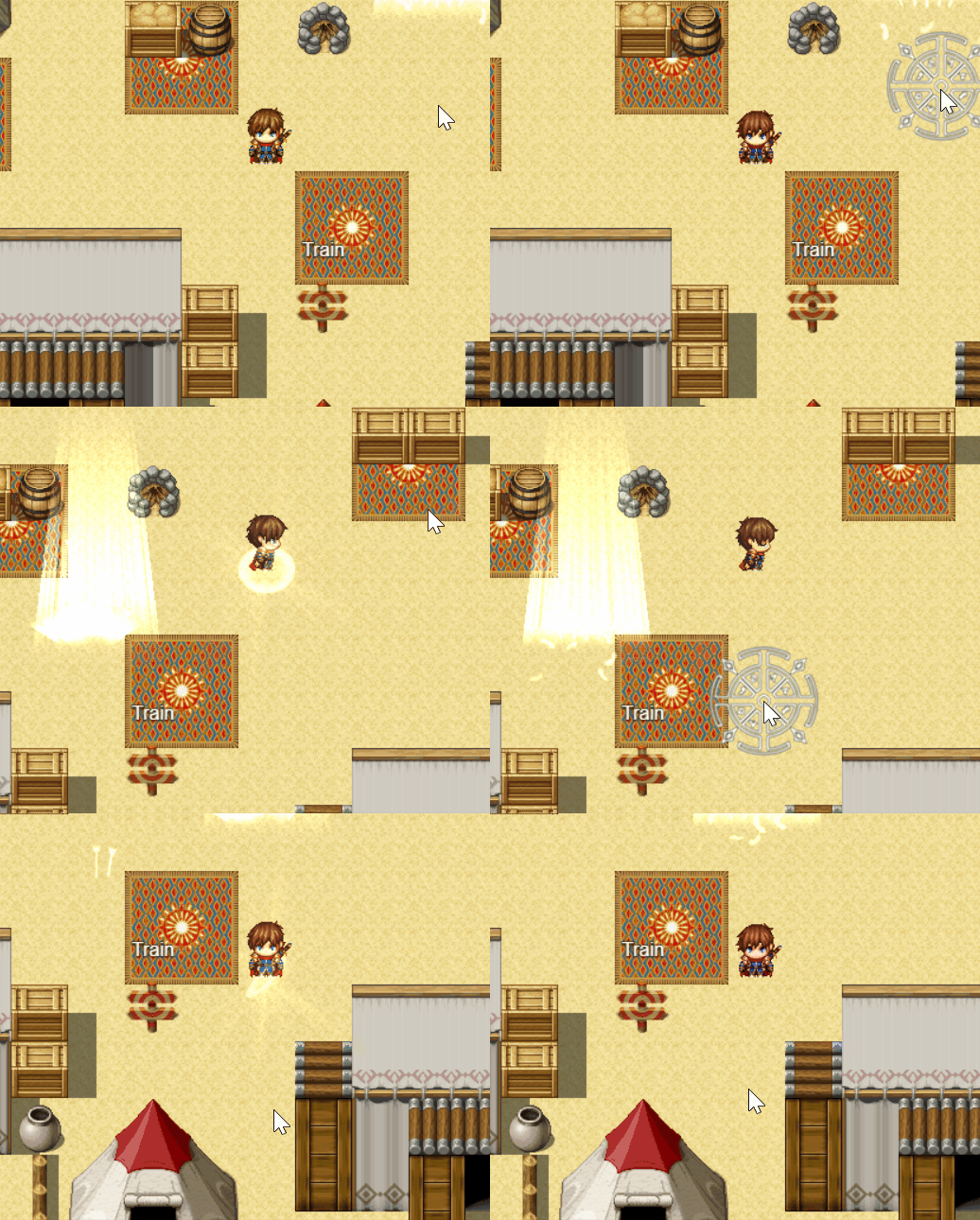
|
0 | |
teleportInAnim:X |
Teleport start animation (in start point) | Animation ID | 0 |
teleportOutAnim:X |
Teleport end animation (in destination point) | Animation ID | 0 |
castingTime:E |
Skill casting (preparing) time. 0 - not casting. Casting progress gauge is NUI element and can be modified by editing data\AABSZ\NUI_PlayerCastingProgressBar.json file. |
In seconds | 0 |
castingAnimation:S |
[Optional] AnimaX casting animation (will be looped) | AnimaX Action Name | "" |
castingDelayWhenHit:X |
Add extra casting time if the character is damaged during the process | In seconds | 0 |
castingStopWhenHit:Z |
If 1 - Abort casting if the character is damaged during the process | - | 0 |
onCastingStartCE:X |
Common Event called when start casting | Common Event ID | 0 |
onCastingCompletedCE:X |
Common Event called when complete casting | Common Event ID | 0 |
onCastingAbortedCE:X |
Common Event called when abort casting) | Common Event ID | 0 |
castingRotation:Z |
Only for player. If 1 - player will rotate toward cursor while casting | - | 1 |
castingSE:S |
Casting start sound. Not looped. Automatically stops if casting is aborted (or finished) | SE file name | "" |
Examples for reloadTime:
reloadTime: 4 \\ 4 seconds reload after skill using
reloadTime: this.agi - this.hp / 10 \\ reload time calculated by formula (result in seconds)
Examples for multiProjectile:
<multiProjectile:1>
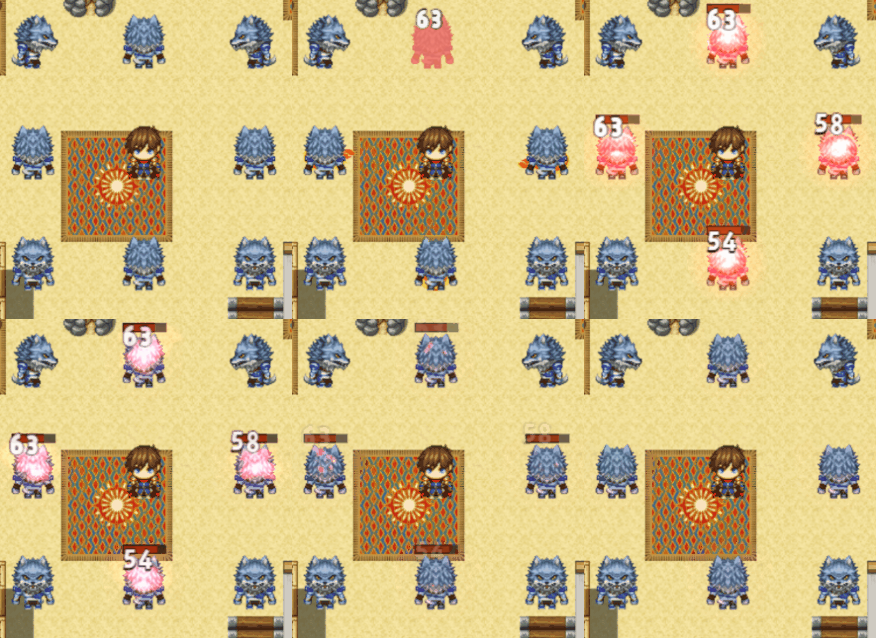
<multiProjectile:2>
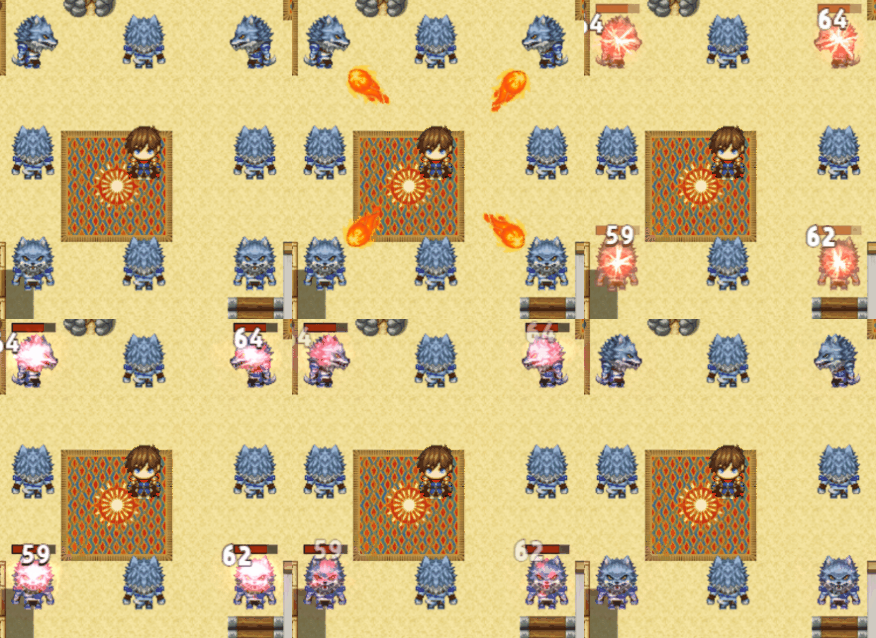
<multiProjectile:3>
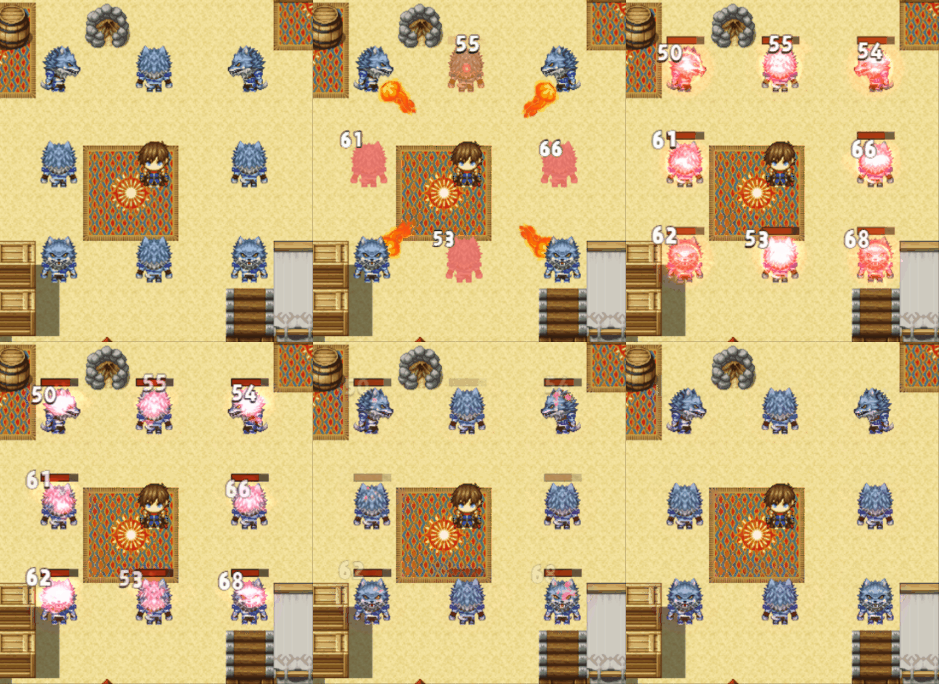
| Parameter | Description | Values | Default |
|---|---|---|---|
z:X |
Z (height) parameter uses by Projectile skills. If 2 or less skill will hit characters with below character priority. If 3 - will hit characters with same as character priority. If 4 - will hit above character priority |
1,2,3,4 | 3 |
selectZone:Z |
If 1 - player can select skill damage zone on map 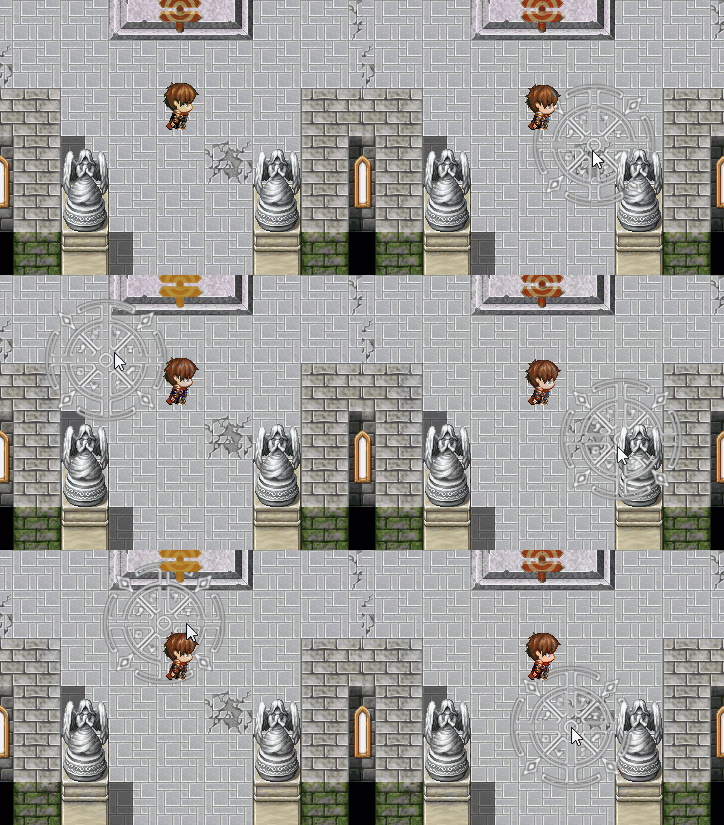 and and range should be > 0 |
- | 0 |
selectorColor:S |
Select zone color for this skill | HEX color | #bf9324 |
selectorImg:S |
Select zone image for this skill .png) . Can be empty, then will be colored (selectorColor) square . Can be empty, then will be colored (selectorColor) square 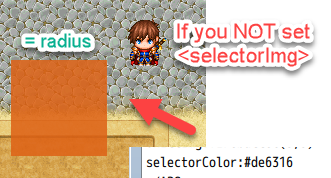
|
filename from Pictures folder | - |
selectorOpacity:X |
Select zone image opacity level | 0 - 255 | 220 |
skillImg:S |
Image for projectiles skills  . File naming rules see below. . File naming rules see below. |
file name from Pictures folder | - |
noRotationImage:Z |
Set 1 for disable projectile skill image rotation (facing fly direction) | - | 0 |
hitOffset:X |
Hit box size for projectile skill image | in pixels | 28 |
hitAnimationId:E |
Extra skill hit animation on map, if > 0 replace Animation from Database  . Use this if you want that skill have different animation on map and in default battle . Use this if you want that skill have different animation on map and in default battle |
Animation ID | 0 |
noContact:Z |
For projectile skills. if 1 - skill executed always (like when range is out) 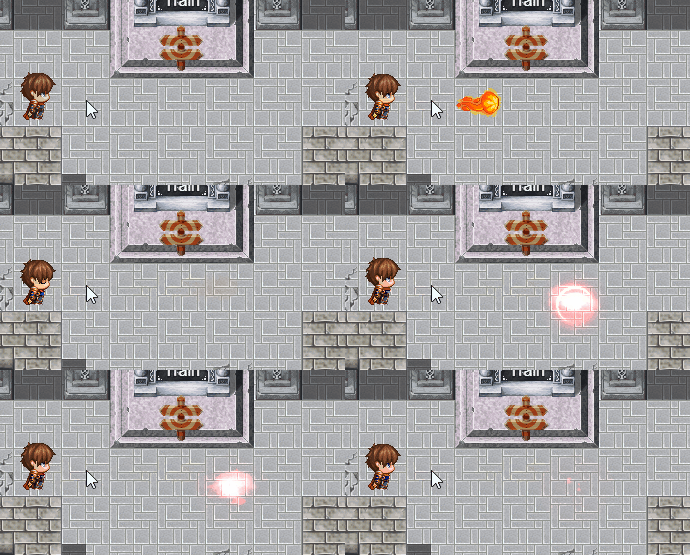 , if 0 - only when reach target (point) , if 0 - only when reach target (point) 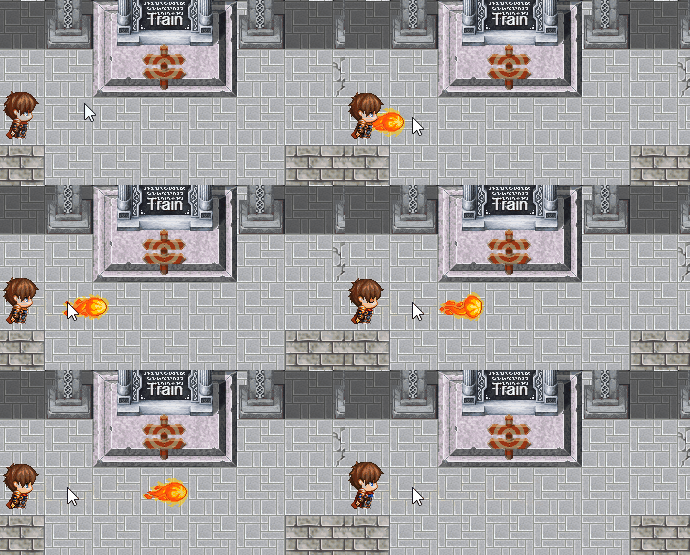
|
- | 0 |
animationOnMap:Z |
If 1 - animation will playing always on map, if 0 - depends on skill target (map or character) | - | 0 |
noPassRegions:X,X,... |
Not pass map regions ID (separated by comma) for this skill |
1-255 | - |
noPassTerrains:X,X,... |
Not pass map terrain tags (separated by comma) for this skill |
0-7 | - |
weaponMotion:Z |
Is should play weapon motion when use? 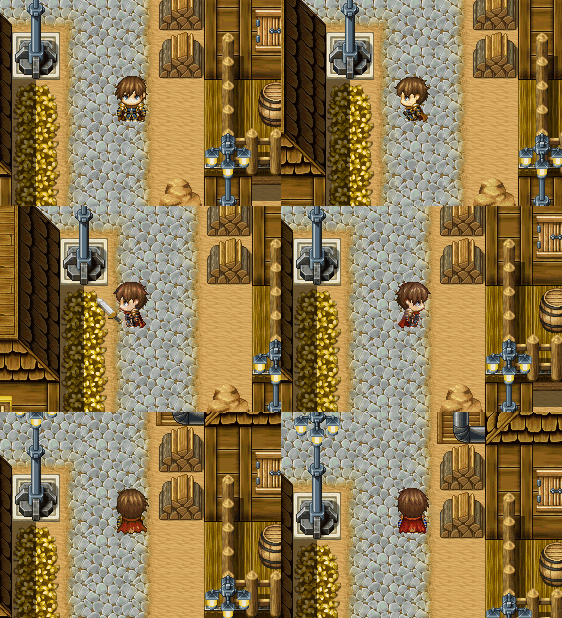
|
- | 0 |
weaponMotionType:X |
Weapon motion type ID, see Weapon Motions. 0 - weapon in hands. Works only with weaponMotion:1
|
ID | 0 |
animaXPriority:X |
See Weapon Motions. 1 - priority. 0 - not priority. 2 - both animations | 0, 1, 2 | 1 |
extraAnimation:S |
Extra animation filename. 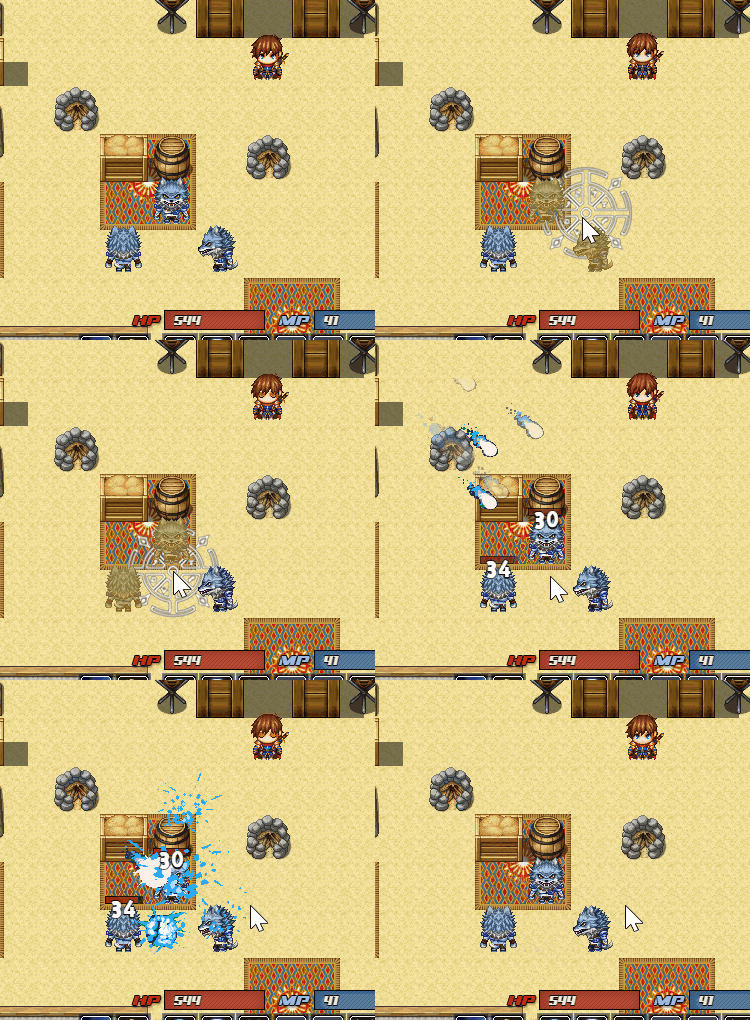 File naming rules same as for File naming rules same as for <skillImg>
|
file name from Pictures folder | - |
extraAnimationOX:X |
Extra animation offset by X | in pixels | 0 |
extraAnimationOY:X |
Extra animation offset by Y | in pixels | 0 |
extraAnimationSE:S |
Extra animtion sound effect | SE filename | - |
keepOutScreen:Z |
If 1 - projectile will continue fly when out of screen | - | 0 |
extraHurtbox:T,DX,DY,W(R),H |
Extra collider to the skill effect area. T can be c or b
|
- | 0 |
You can add up to 4 extra hurtboxes per skill (extraHurtbox2, extraHurtbox3, extraHurtbox4)
Example:
extraHurtbox:c,-2,-2,1  (circle, with radius 1 and offset X = -2, Y = -2)
extraHurtbox2:b,0,0,2,2 (box, 2x2)
extraHurtbox3:b,3,3,2,2 (box, 2x2 and offset X = 3, Y = 3)
Skill example:
<ABS>
radius:2
range:0
direction:0
noContact:1
speed:0
reloadTime:4
hideOutsideABS:1
animationOnMap:1
impulse:1
extraHurtbox:c,-2,-2,1
extraHurtbox2:c,2,-2,1
extraHurtbox3:c,-2,2,1
extraHurtbox4:c,2,2,1
</ABS>

Example: firebullet(3,5).png
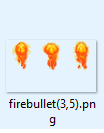
3 - frame count
5 - frame change speed
Examples of usage:
<ABS>
...
skillImg:firebullet(3,5)
extraAnimation:MeteorRain(19,3)
</ABS>| Parameter | Description | Values | Default |
|---|---|---|---|
animaXAction:S |
AnimaX plugin action for character when use skill, for more info read this | Action Name | - |
actionStartDelay:X |
From 0 to X. Delay after skill animation animaXAction starts and before skill executed. Recommended not more then 60. |
in frames (60 = 1 second) | 0 |
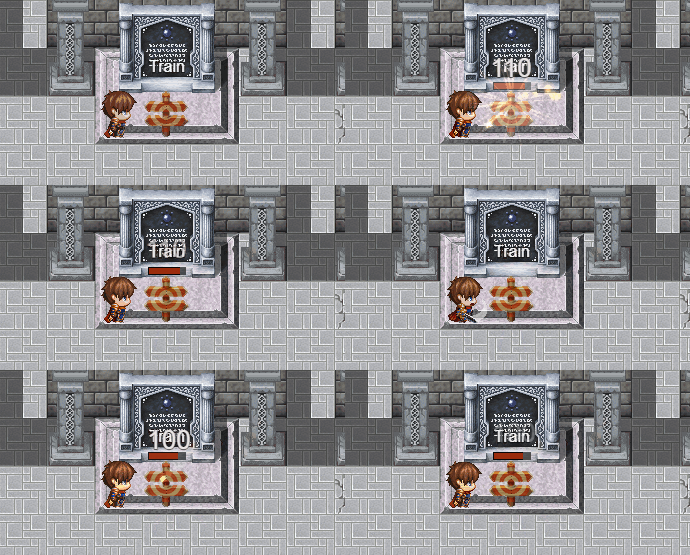
Example actionStartDelay:0
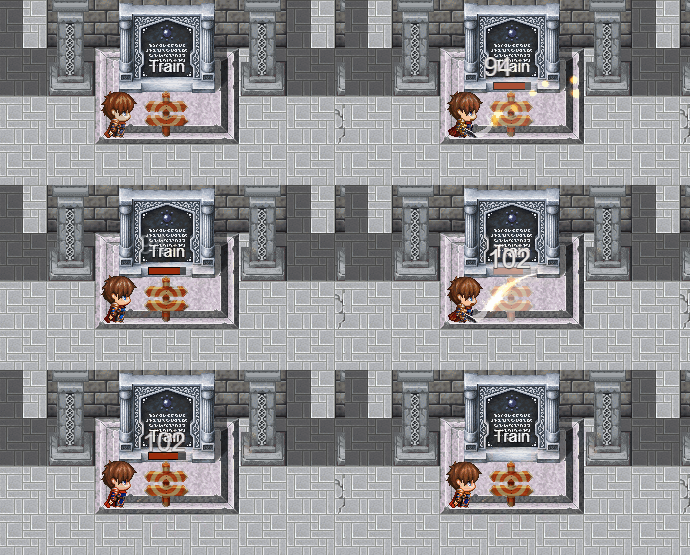
Example actionStartDelay:30
| Parameter | Description | Values | Default |
|---|---|---|---|
hideOutsideABS:Z |
if 1 - skill will be hided in default battle system, only can be used on map in ABS mode | - | 0 |
onHit:A |
Script called (relaitve target) when skill hit target | Script action | - |
onStart:A |
Script called (relative skill user) when skill executed | Script action | - |
onDone:A |
Script called (relative skill user) when skill ends | Script action | - |
ssImg:S |
Image that will be using istead icon in Skill Slot 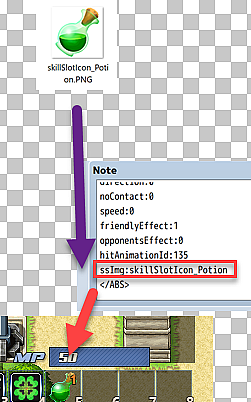
|
image name from 📁 img/Alpha/ | - |