Download and install guide
Copy next files and folders from Demo Project to your project:
- file css\anet.css
- file css\anet_chat.css
- 📁folder img\Alpha
- js\plugins\Alpha_NETZ.js
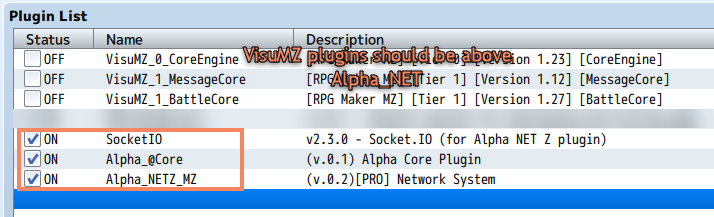
Any VisuMZ plugin should be above Alpha NET Z plugins group
Copy next files and folders from Demo Project to your project:
Any VisuMZ plugin should be above Alpha NET Z plugins group